2-Pin vs 3-Pin vs 4-Pin LED Lights: What the Pins Mean
By Jolly Raleigh · September 17, 2026
TL;DR: Count the pins and you know what kind of light you have. 2 pins is one color. 4 pins with R, G, and B labels is analog RGB, where the whole strip is one color at a time. 3 pins is addressable, where every light can be a different color. 4 pins on an addressable strip means either a clock wire or a backup data wire. Permanent roofline lights are almost always the addressable kind.
Shopping for LED lights gets confusing fast. One strip has 2 pins. Another has 3. Another has 4, and two different 4-pin strips do not even work the same way. This guide sorts it out so you can tell at a glance what a strip does and what it can plug into.
Why the pin count matters
Every pin is a wire. Every wire has a job. The number of pins tells you two things:
- How the strip gets power. Every strip needs at least a plus and a minus.
- How the strip gets told what to do. Some strips get no instructions at all. Some get a wire per color. Some get one wire that carries a message for every light.
Once you know the jobs, the pin count stops being a mystery.
2-pin: one color, on or off
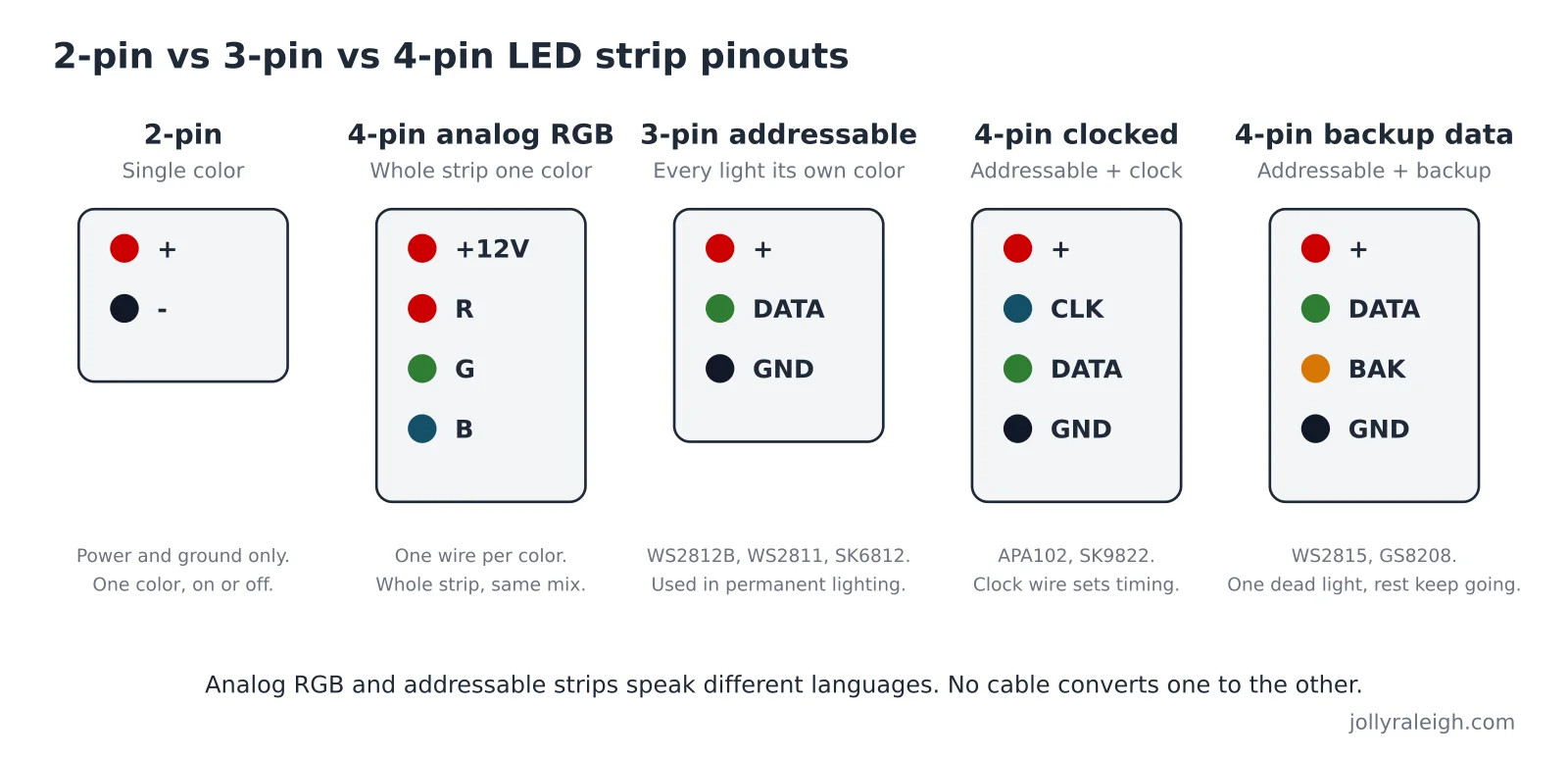
A 2-pin strip has a power wire and a ground wire. That is it. Plug it in and it lights up in one color, usually warm white or cool white. A dimmer can make it brighter or darker, but it cannot change color.
Where you see it: under-cabinet lights, closet lights, plain white accent strips.
Can it do a Christmas display? Only in one color. It cannot chase, fade, or switch from red to green.
4-pin analog RGB: the whole strip is one color
Now things get interesting. A 4-pin analog RGB strip has one shared power wire plus three "color" wires labeled R, G, and B. The controller turns each color wire up or down. Mix them and you get any color you want.
The catch: every light on the strip gets the same mix at the same time. If the controller says "purple," the entire strip is purple. You cannot make one light red and the next one green. Tom's Hardware has a clear explanation from the PC-building world, where this same 3-pin vs 4-pin question comes up all the time.
Some analog strips add a fifth pin for a dedicated white LED. That is "RGBW," and it gives you a cleaner white than mixing red, green, and blue together.
Where you see it: cheap TV backlights, older room lighting kits, some budget holiday strips.
Can it do a Christmas display? Sort of. It can change color and fade. It cannot do chasing patterns or two colors at once.
3-pin addressable: every light has its own brain
A 3-pin addressable strip has power, ground, and one data wire. Inside each light (or each small group of lights) is a tiny chip. The controller sends a stream of instructions down the data wire. Each chip reads the instruction meant for it, sets its own color, and passes the rest down the line.
This is how a strip can show red, white, and green in a repeating pattern, or run a chase along the roof, or fade a rainbow across the house. It is the technology behind nearly every permanent roofline lighting system.
Common chip names you will see on the box:
| Chip | Voltage | Pins | Notes |
|---|---|---|---|
| WS2812B | 5V | 3 | Chip built into each LED. Very common in hobby strips. |
| WS2811 | 12V or 24V | 3 | Chip sits next to the LEDs, often runs 3 LEDs as one "pixel." |
| SK6812 | 5V | 3 | Like WS2812B; an RGBW version adds a white LED per pixel. |
| WS2815 | 12V | 4 | Adds a backup data wire. |
| GS8208 | 12V | 4 | Adds a backup data wire; often used in bullet-style pixels. |
Sources: SuperLightingLED's user guide and DERUN's addressable strip comparison.
Where you see it: permanent Christmas lights, pixel light shows, gaming PCs ("ARGB"), high-end accent lighting.
Can it do a Christmas display? Yes. This is the one you want.
4-pin addressable: two very different kinds
Here is where people get tripped up. A 4-pin addressable strip is not an analog RGB strip, even though both have 4 pins. And there are two different reasons an addressable strip might have a fourth pin.
Kind 1: a clock wire (APA102, SK9822)
These strips have power, ground, data, and clock. The clock wire is like a metronome. It tells each chip exactly when to read the next bit on the data wire.
Why bother? Strips without a clock wire (WS2812B and friends) depend on very precise timing from the controller. Add a clock wire and the timing stops mattering, so the controller can send data faster and more reliably. SparkFun's APA102 hookup guide explains that this makes them easy to drive from computers like a Raspberry Pi, which cannot hit the strict timing a WS2812B needs.
Clocked strips also refresh much faster, which matters for video. More on that in PWM explained: how your lights dim and make 16 million colors.
Kind 2: a backup data wire (WS2815, WS2813, GS8208)
These strips have power, ground, data, and backup data. Each chip listens on both wires. If one light dies, the next chip still hears the signal on the backup wire, and the rest of the strip keeps running.
This is a big deal on a roof. Without backup data, one dead light blacks out every light after it. With backup data, you lose one light and nothing else. We walk through wiring one of these strips, including the confusing "3-pin out plus 4-pin out" plug, in how permanent Christmas lights are wired.
A quick way to tell them apart
Look at the labels printed on the strip next to the copper pads:
- + and - only: 2-pin single color.
- +12V, R, G, B: 4-pin analog RGB. Whole strip changes together.
- +, DI (or DIN), GND: 3-pin addressable.
- +, CI, DI, GND (or CLK and DAT): 4-pin addressable with a clock.
- +, DI, BI, GND (or DAT and BAK): 4-pin addressable with backup data.
If the strip says "IC" anywhere (like "RGB IC" or "RGBIC"), it is addressable.
Can you adapt one type to another?
- Analog RGB to addressable: No. They speak completely different languages. There is no cable that converts them.
- 3-pin addressable to 4-pin backup-data strip: Yes. Plug the 3-pin output into the new strip's 3-pin input. The backup wire simply goes unused at that joint.
- 3-pin addressable to 4-pin clocked strip: No. A clocked strip needs a controller that outputs a clock signal.
- 5V strip to 12V strip: Data can chain across. Power cannot. Each strip needs its own correct voltage, and all grounds must connect. See 5V vs 12V vs 24V.
Which one is on your roof?
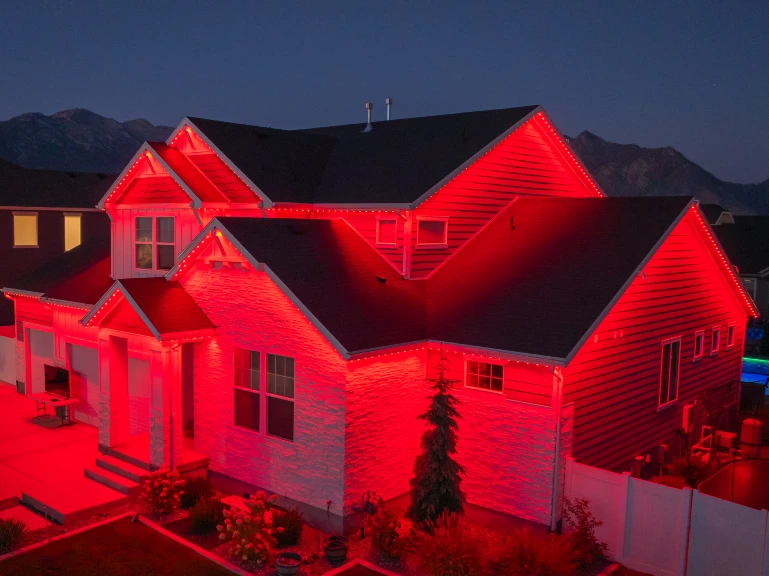
Professional permanent lighting uses addressable lights, usually at 12 volts or higher so long rooflines stay bright from end to end. Each light gets its own instructions, which is what makes the patterns, the team colors, and the holiday scenes possible. Our permanent RGB lighting is built that way, tucked into a track that disappears by day.
Frequently asked questions
Is 3-pin or 4-pin better for LED lights?
For color-changing patterns, 3-pin addressable wins over 4-pin analog RGB every time. Among addressable strips, a 4-pin backup-data strip is more reliable than a 3-pin strip because one dead light does not kill the rest.
What does ARGB mean?
Addressable RGB. It is the PC-builder name for 3-pin addressable lighting. Same idea as the lights on a permanent roofline system.
What does RGBIC mean?
RGB with an integrated circuit, which is another way of saying addressable. Each light has a chip.
Can I plug a 3-pin strip into a 4-pin header?
Not if the 4-pin header is analog RGB. The pins are different signals and you can damage the strip. If the 4-pin plug is a backup-data output on an addressable strip, use its 3-pin output instead.