COB LED Strips Explained: Color Types, Chips, and Pin Counts
By Jolly Raleigh · September 17, 2026
TL;DR: COB stands for chip-on-board. A COB strip packs hundreds of tiny LEDs under one smooth coating, so you see a clean line of light instead of dots. COB strips come in the same families as any LED strip: one color, tunable white, RGB, RGBW, and RGB plus tunable white. The pin count follows the color channels, from 2 pins up to 6. Add a chip for individual control and the pin count changes again. Read the labels on the strip, not just the number of pins.
If you have shopped for LED strips lately you have seen "COB" on the box. It looks different from the older strips with visible dots, and the pin counts do not line up with what you may have learned about 3-pin and 4-pin strips. This post sorts out what COB is, what kinds exist, and exactly what each pin does.
What COB means
COB is short for chip-on-board. Instead of a few dozen larger LED packages spaced along the strip, a COB strip mounts hundreds of tiny LED chips right on the circuit board, very close together, and covers them with one continuous phosphor coating. LED Club's strip guide puts it plainly: COB "packs many tiny diodes under one phosphor coating for a smooth, dotless line of light."
That smooth line is the whole point. Older strips show individual points of light unless you hide them behind a diffuser. COB looks like a neon tube.
How many chips? Digital COB strips from one European supplier run 360 LEDs per meter for single color, 630 per meter for RGB, and 784 per meter for RGBW (2K-Trade's COB overview). That is about 10 to 20 times the density of a typical dotted strip.
One honest note from the same LED Club guide: whether you still see dots "also depends on LED density, channel depth, and the diffuser." COB helps a lot. It is not magic.
Two questions decide everything
Every COB strip, and really every LED strip, is defined by two questions:
- What colors can it make? One fixed color, adjustable white, full color, or full color plus white.
- Can each part of the strip be controlled separately? No means the whole strip changes together. Yes means it is "addressable," with a tiny chip driving each segment.
Answer those two and you know the pin count.
The color types
| Type | What it does | Chips per point |
|---|---|---|
| Single color (mono) | One fixed color: warm white, cool white, red, and so on | 1 |
| CCT (tunable white) | Slides the white from warm yellow to cool blue | 2 (one warm, one cool) |
| RGB | Mixes red, green, and blue into millions of colors | 3 |
| RGBW | RGB plus a dedicated white chip for cleaner whites | 4 |
| RGBCCT (also called RGBWW) | RGB plus warm and cool white chips, so you get color and tunable white | 5 |
Wikipedia's LED strip article describes tunable white strips as "alternating LEDs of different color temperatures, so half of the LEDs are a lower temperature and half are a higher color temperature," and RGBCCT as "the combination of dynamic tunable white and multicolor (5 LED-chips) in a single module."
Why does RGBW exist if RGB can mix white? Because mixed white from three colored chips looks a little off, usually slightly blue or pink, and it is dimmer than a real white chip. If you want a strip for everyday white light and holiday colors, RGBW or RGBCCT is the one.
Pin counts on standard (non-addressable) COB strips
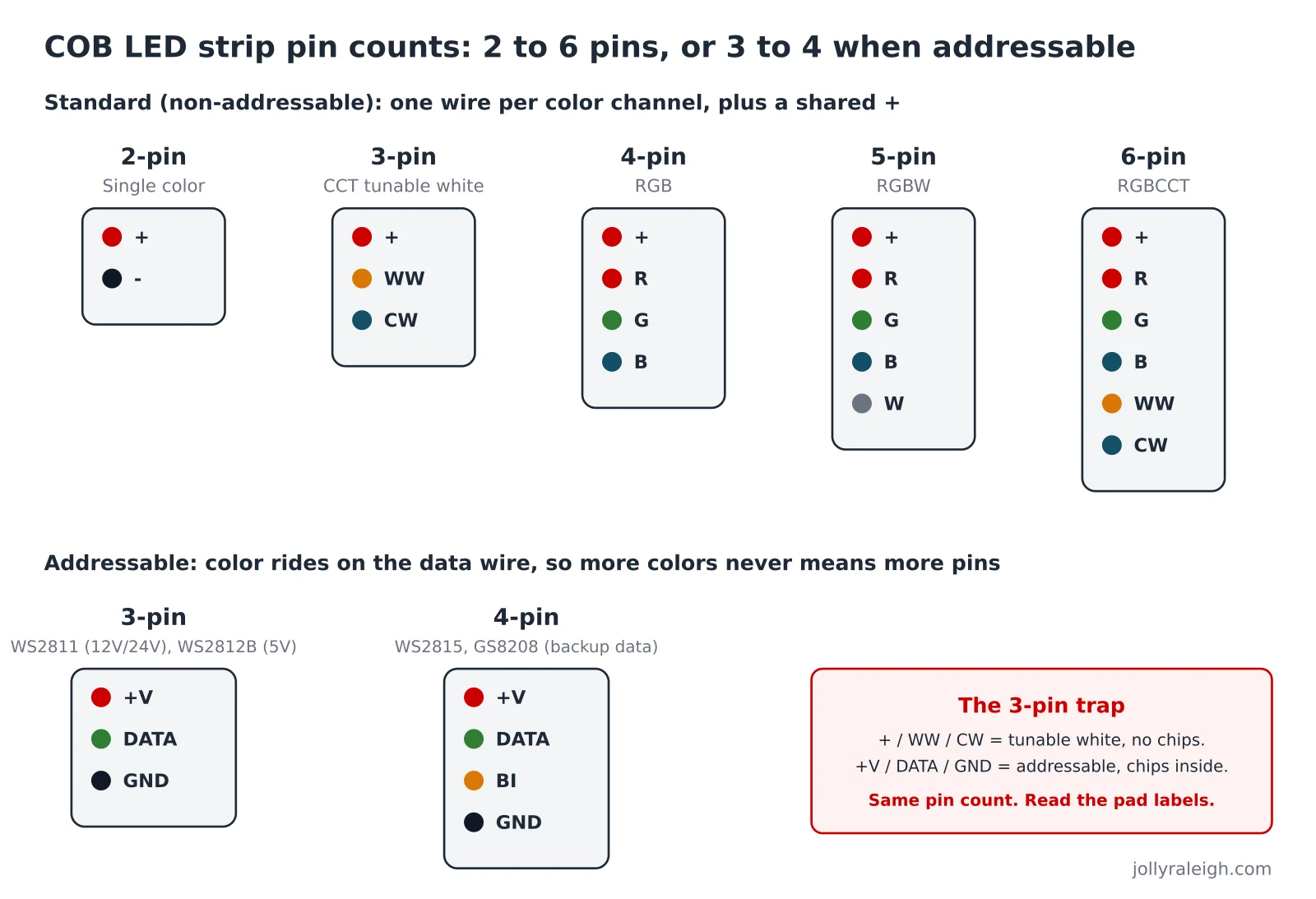
A non-addressable strip changes as one unit. Every color channel needs its own wire, plus one shared power wire. So the pin count is the channel count plus one:
| Pins | Labels on the pads | Strip type |
|---|---|---|
| 2 | + / - | Single color |
| 3 | + / WW / CW | CCT tunable white |
| 4 | + / R / G / B | RGB |
| 5 | + / R / G / B / W | RGBW |
| 6 | + / R / G / B / WW / CW | RGBCCT |
Kayva's connector guide sums up the rule the same way: single color is 2-pin, CCT 3-pin, RGB 4-pin, RGBW 5-pin, RGBCCT 6-pin.
These strips run at 12 volts or 24 volts. A 12-volt strip needs a 12-volt supply and a 24-volt strip needs a 24-volt supply. They are not interchangeable.
Pin counts on addressable COB strips
An addressable strip has driver chips built into the strip. The controller sends one stream of instructions down a data wire, and each chip sets its own segment. That is how you get chasing, fading, and two colors on one strip at the same time.
Because all the color information rides on the data wire, adding colors does not add pins:
| Pins | Labels on the pads | Strip type |
|---|---|---|
| 3 | +V / DATA (DI) / GND | Standard addressable. WS2811 at 12V or 24V, WS2812B at 5V. |
| 4 | +V / DATA / BACKUP (BI) / GND | Dual-signal addressable. WS2815, GS8208. If one segment fails, the backup line carries the signal past it. |
Digital COB strips commonly use the WS2811 chip for single color and RGB, and the TM1814 chip for RGBW, at 24 volts (2K-Trade). DERUN's comparison of WS2811, WS2812B, WS2813, WS2815, SK6812 and SK9822 covers what each chip does.
One catch: an addressable strip needs an addressable controller (often sold as an "SPI" controller). As 2K-Trade notes, "a standard RGB controller does not support the SPI protocol and cannot control individual segments." Plug an addressable strip into a plain RGB dimmer and nothing useful happens.
We cover the addressable wiring itself, including why the 4-pin backup plug is normal, in how permanent Christmas lights are wired.
The 3-pin trap
Here is where people get burned. A 3-pin strip can be two completely different things.
- 3-pin CCT: + / WW / CW. Two white channels. No chips. The whole strip shifts warm to cool.
- 3-pin addressable: +V / DATA / GND. Chips inside. Individual control.
Same number of pins. Different wiring. Different controller. Connect one to the other's controller and, at best, nothing lights. At worst, you send 24 volts into a data pin.
The fix is boring: read the little labels printed next to the copper pads. WW and CW mean tunable white. DI, DATA, or DIN means addressable. The Elstar COB connector guide adds the other rule: the pin count must match and the pad layout must match. Matching only the count is not enough.
The same goes for 4-pin. A 4-pin strip labeled R / G / B is analog RGB. A 4-pin strip labeled DATA and BI is addressable with a backup line. We broke that split down in 2-pin vs 3-pin vs 4-pin LED lights.
Which one belongs on a roofline?
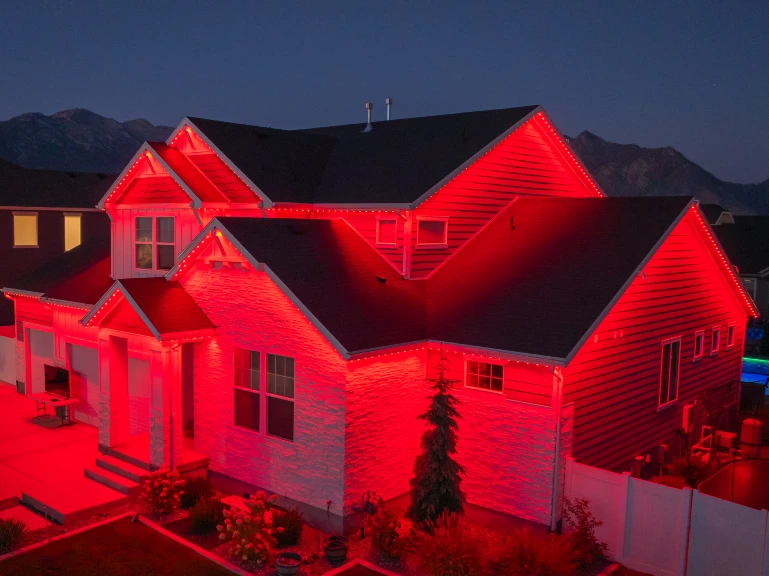
For a permanent roofline system you want addressable lights at 12 volts or higher. Addressable gives you the patterns and the holiday scenes. Higher voltage keeps the far corner of the house as bright as the front door; see 5V vs 12V vs 24V. Whether the light source is COB or spaced pixels is a look-and-feel choice: COB reads as a continuous glowing line, spaced pixels read as individual bulbs. Our permanent RGB lighting installs are built on the addressable side of that table, in a track that hides by day.
If you just want a cove or an under-cabinet glow in one white, a 2-pin COB strip and a dimmer is the simplest thing you can buy. Do not pay for chips you will not use.
Frequently asked questions
What does COB mean on an LED strip?
Chip-on-board. Many tiny LED chips are mounted directly on the board and covered by one continuous phosphor coating, so the strip glows as a smooth line instead of dots.
How many pins does a COB LED strip have?
It depends on the color channels: 2 pins for single color, 3 for tunable white, 4 for RGB, 5 for RGBW, 6 for RGBCCT. Addressable COB strips use 3 pins (power, data, ground) or 4 pins with a backup data line.
Are COB LED strips addressable?
Some are. Look for chip names like WS2811 or TM1814, or pads labeled DATA or DI. A COB strip with pads labeled R, G, B, or WW and CW is not addressable.
Can I use an RGB controller on an addressable COB strip?
No. Addressable strips need a controller that sends the data signal, often sold as an SPI controller. A plain RGB controller only switches the color channels on and off.
Is COB better than regular LED strip?
For a smooth, dotless line, yes. For long outdoor runs where you want individual bulbs and patterns, spaced addressable pixels are the usual choice. Both can be addressable, and both come in 12V and 24V.