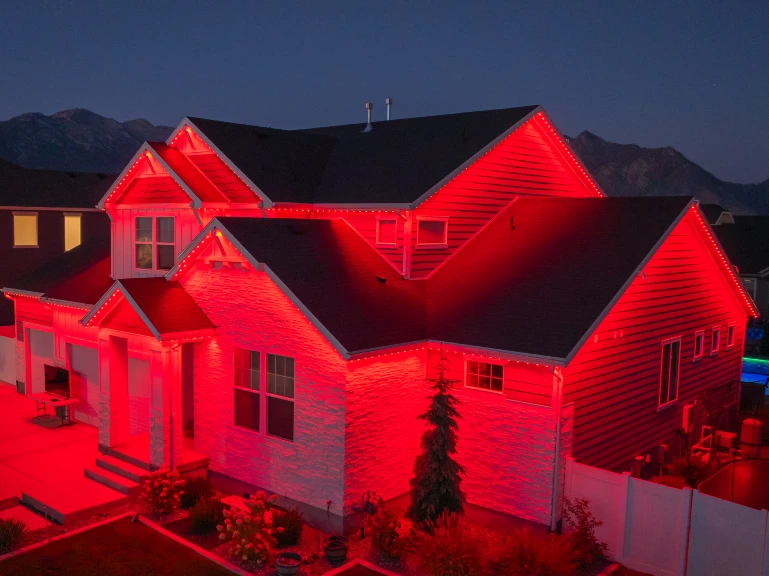
Why LED Lights Flicker, Glow Dim Blue, or Show the Wrong Colors
By Jolly Raleigh · September 17, 2026
TL;DR: Flicker, a dim blue glow, and wrong colors almost always come from three things: a missing ground connection, a data signal that is too weak, or a strip starved of voltage. Check them in that order. Nine times out of ten you never need a new part.
We keep a bench in the shop where we test new lights before they go on anyone's roof. Most of what goes wrong on that bench is the same short list of problems. Here is that list, in the order we check it, so you can fix your own lights or understand what a pro is doing on your roof.
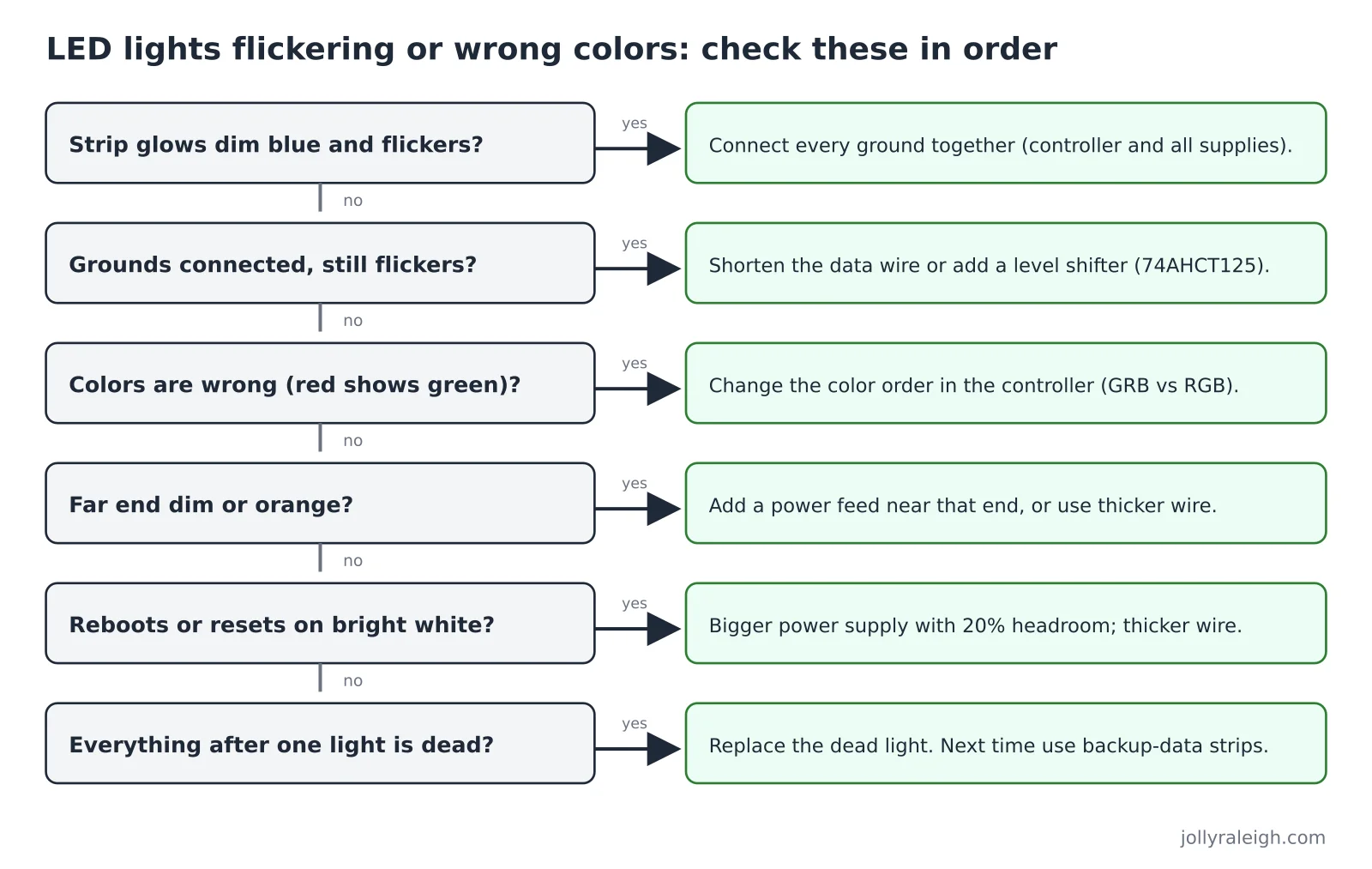
1. The strip glows dim blue and flickers
Cause: no shared ground.
This one fooled us. A new 12-volt strip, its own 12-volt supply, data wire chained from the old 5-volt strip. Power on. The strip lit up a faint, jittery blue. It looked like a bad strip.
The problem was one missing wire. The controller's ground and the new power supply's ground were not connected. The data signal is measured against ground. With no shared ground, the strip had no way to tell a one from a zero, so it showed garbage.
Fix: Connect the minus (ground) wire of every power supply to the ground of the controller. Only the grounds. Never the plus wires. Full wiring in how permanent Christmas lights are wired.
2. Grounds are connected, still flickers
Cause: data signal too weak.
Most small controllers send data at 3.3 volts. The chips in the lights expect a "high" of about 70 percent of their supply, which is about 3.5 volts on a 5-volt chip, per this WS2812B interfacing guide. A 5-volt strip often forgives the gap. A 12-volt strip often does not.
Signs it is the data signal and not power:
- Flicker gets worse with a longer data wire.
- Random lights flash the wrong color for a split second.
- The first light is fine, the rest are chaos, or the whole run freezes on one frame.
Fix, in order of effort:
- Shorten the data wire between controller and first light. Inches, not feet, if the controller has no level shifter.
- Add a level shifter. A 74AHCT125 chip boosts 3.3 volts to a clean 5 volts. Adafruit sells one for this exact job. Skip the tiny "bidirectional" sensor shifters; they are too slow.
- Use thicker wire for long data runs. QuinLED's tests found 10 meters (32 feet) of thin 26-gauge wire worked with a level shifter, and 20 meters (64 feet) of 18-gauge wire was "perfect" on every strip tested.
More on the controller side in what controls permanent lights: the microcontroller explained.
3. Colors are wrong (red shows green, etc.)
Cause: color order.
Not every chip stores colors in the same order. Most 5-volt WS2812B strips are GRB (green first). Many 12-volt strips are RGB. If the controller is set for one and the strip is the other, every red command comes out green.
Fix: In the controller settings, change the color order for that strip. Test with pure red. If it shows green, swap the first two letters. If it shows blue, swap the last two. A run that mixes two strip types needs two outputs or two segments, each with its own color order.
4. White is orange or dim at the far end
Cause: voltage drop.
Voltage fades along a long run. The blue LED gives up first, then green, leaving red and orange. This is most obvious on full white, which pulls the most current.
Fix: Feed power into the run at more points ("power injection"), use thicker power wire, or run a higher voltage system. Numbers and diagrams in 5V vs 12V vs 24V: why roofline lights use higher voltage.
5. Lights reset or the controller reboots on bright scenes
Cause: power supply too small, or wire too thin.
When you switch to full white, current jumps. If the supply cannot keep up, the voltage sags, the controller loses power for a blink, and everything restarts. Wired4Signs' troubleshooting guide makes the point that a supply sized exactly to the load will "work briefly, then flicker, cycle, or shut down under heat."
Fix: Size the power supply with headroom, at least 20 percent above the worst-case draw. Use wire gauge matched to the current. Make sure the controller has its own stable feed.
6. Everything after one light is dead
Cause: one dead light, on a strip with no backup data.
On a plain 3-pin strip, every light passes data to the next. One dead chip breaks the chain. Everything after it goes dark.
Fix: Replace the dead light. To prevent it next time, use lights with a backup data line (WS2815, WS2813, GS8208). Those chips listen on two wires, so a single failure is skipped over and the rest keep running. This is one reason we spec that kind of light for roofs. See 2-pin vs 3-pin vs 4-pin LED lights.
7. Lights look fine in person, flicker on video
Cause: PWM frequency close to the camera's shutter.
This is not a wiring problem. The lights dim by blinking faster than the eye can see. Older chips blink at about 400 times per second, which many phone cameras catch as rolling bands. Newer chips blink at 2,000 times per second or more and film clean.
Fix: Nothing to fix on the wire. If video matters, choose lights built on faster chips. Details in PWM explained.
8. It worked last year, now half the roof is out
Cause: water.
Outdoor connections that were not sealed let water in. Corrosion adds resistance, which causes voltage drop and flicker, and eventually an open circuit. Look for green or white crust at any connector, and for the first bad light right after a joint.
Fix: Cut back to clean copper, reconnect with waterproof connectors, and add a drip loop so water runs off the wire instead of into the joint.
Quick checklist
Work down this list before buying anything:
- All grounds connected together? (Dim blue flicker.)
- Data wire short, or level shifter in place? (Random flicker, freezing.)
- Color order set right for each strip? (Wrong colors.)
- Enough power feeds for the length? (Orange far end.)
- Power supply oversized, controller fed clean? (Reboots on white.)
- Any dead light or corroded joint? (Dead section.)
When to call someone
If the lights are on your roof and the fix involves a ladder, a soldering iron, and a level shifter, it may be time to hand it off. Our permanent RGB lighting is installed with sealed connections, sized power feeds, and a controller with the level shifting built in, and it carries a 5-year product warranty. If something fails, we are the ones on the roof.
Frequently asked questions
Why are my LED strip lights flickering?
Most often a weak data signal (too long a wire, or no level shifter), a missing ground connection between the controller and the power supply, or a power supply that cannot keep up on bright scenes.
Why do my LED lights glow dim blue?
A missing shared ground between the controller and the strip's power supply is the classic cause. Connect the ground wires.
Why are my LED lights the wrong color?
The controller's color order setting does not match the strip. Most 5-volt strips are GRB; many 12-volt strips are RGB. Change the setting and test with pure red.
Why is the end of my LED strip dim or orange?
Voltage drop on a long run. Add a power feed near that end or use thicker wire.